
Warehouse
Storage, protected stock and the lock — and the only building a city may hold more than one of.
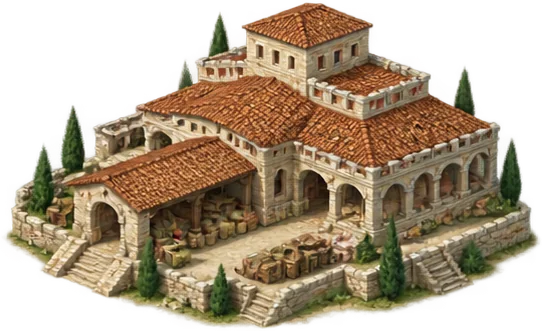
Storage
All the goods in your city are kept in one store and share the same room; no good has a ceiling of its own. If the store holds 12,000 and 8,000 of it is wood, stone, marble, iron and grapes have 4,000 left between them. When the store is full, what is produced is LOST: your deposits keep working and the wood arriving is written nowhere.
The Warehouse raises that one ceiling, and the room it adds is shared by every good. A city with no Warehouse wastes itself while you are offline; the first number to check before you log off is how full the store is. The Warehouse has no last level: if you need more room, you raise it higher. At high levels the room a Warehouse adds grows as fast as the prices of buildings, so as long as your Warehouses keep up, the materials of a level find room in the store. If they fall behind, a level whose price does not fit the store cannot be taken: the upgrade window says so and asks you to raise your warehouses first.
Protected stock
A Warehouse also PROTECTS some of your resources: the share a raid cannot touch. You do not choose which resource is protected; the protection is spread over everything the city holds, in proportion to what is there.
The protected share grows with the level. A level-one Warehouse shelters only a small part of the room it adds, and that part grows markedly towards the top levels. At high levels the room grows as fast as prices, and the protected share grows just as fast with it. Even so, the protected amount always stays below the storage ceiling: a Warehouse does not make you rich; it stops you being emptied.
Protected share by level
| Level | Room added | Sheltered | Share sheltered |
|---|---|---|---|
| 1 | 3,000 | 500 | 16.66% |
| 5 | 15,187 | 2,739 | 18.04% |
| 10 | 115,330 | 22,971 | 19.91% |
| 15 | 875,787 | 192,597 | 21.99% |
| 20 | 6,650,513 | 1,614,755 | 24.28% |
The room one Warehouse adds at that level, and how much of that room it shelters. The protection a city has even without a Warehouse comes on top; a fitted lock then enlarges the whole.
The lock
You can fit a lock to your city's store. A lock enlarges everything the city shelters from raids: what its Warehouses protect and the city's own basic protection alike. A lock's percentage is a percentage of that amount, not of the goods in the city: if the city protects 10,000 goods, a fifty per cent lock raises that to 15,000, and anything the city holds beyond it is still open to raids. The protected amount is spread over all your goods in proportion to how much of each you hold. The Warehouse window says in figures how much is protected without a lock and how much each lock would protect in this city.
A city has a single lock. It is chosen in the Main Warehouse's window and fitted to every Warehouse in the city at once. An annex's window shows the fitted lock and sends you to the Main Warehouse.
Each lock is opened by a research. Which research opens which lock is in the table below, and the research screen names the lock it opens.
Locks
| Lock | Research | Protection bonus | Price (once) |
|---|---|---|---|
| Wooden Bolt | Mechanics | +20% | 500 Gold |
| Bronze Lock | Metallurgy | +40% | 2,500 Gold |
| Laconian Lock | Precision Mechanics | +60% | 10,000 Gold |
| Sealed Strongroom Lock | Metropolitan Administration | +80% | 30,000 Gold |
Locks are listed from the weakest to the strongest. What a lock adds is summed with the protection bonus that research gives.
What a lock costs
You pay for a lock once, in Gold, from the treasury. From then on it stays fitted and asks for nothing more.
Moving to a better lock costs that lock's price; the one taken off is not refunded. There is no going back to a weaker lock.
The lock belongs to the city. If the city's last Warehouse is demolished the lock goes with it, unrefunded, and a Warehouse built later starts without one. An occupied city keeps its lock.
The Warehouse window
The strip at the top of the window shows how much is in the store, how much of it is protected and how much is exposed; the fitted lock is named at its right.
The heading of the Store section says that every good shares this one store. One bar describes the whole store: what is protected, what is exposed, what was sold and awaits its buyer, what is held for cargo on its way and what is free, each in its own colour and with its name. A thinner bar under it divides the same store by good: each good in its colour from the table, as long as the room it takes. The table gives every resource's stored, protected and exposed amount; tap a resource's name to see what you can spend, what you have listed on the market, what awaits its buyer and what is at sea. The sentence at the bottom says how much the reserve shelters and, when goods are exposed, how much a raider could carry off.
The Lock section lists the locks from the weakest to the strongest: what each adds to protection, what it costs and, when it cannot be fitted, why. Under a lock that is not yet open, a link takes you to the research that opens it. Pressing Fit first opens a confirmation. If the connection drops, a warning appears at the top of the window; Try again sends the same request once more and you do not pay the price a second time.
The Warehouses section lists the Main Warehouse and the annex positions beside it, with the level of each one built; tap another warehouse's level to open its window. Under the list stand the name, price and time of the next annex. If you are a Pro member and another construction is under way, the button reads Add to queue; the place of an annex you have queued shows as "queued" in the list. The condition for a second Warehouse is written there too: while the Warehouse and its annexes have not reached the required level it says how many buildings are short, and once they have it says you can build the second one on an empty plot.
At the foot stands the building itself: the next level, its price, Upgrade and, for Pro members, Add to queue. What does it bring? shows what this warehouse adds to the store and to the protected share; while it rises, the store keeps working at its current level. Open Lower or demolish and you also see this: a Warehouse cannot be lowered if your goods would not fit the smaller store, the Main Warehouse cannot be demolished while annexes stand beside it, and demolishing the city's last Warehouse takes the fitted lock with it.
How many Warehouses?
Up to ten — and it is the only building in the game a city may hold more than one of.
They do not take ten plots: a complex stands on a single plot, a Warehouse with four annexes added beside it. For a second complex you may build another Warehouse on an empty plot, but only once the first Warehouse and all four of its annexes have reached level 15. Until then the Warehouse shows as closed in the build list, with how many buildings are not at that level yet. Once the second Warehouse stands, the condition is never asked again: if a building of the first complex later falls below that level, the second complex stays. There is no plot for a third Warehouse, and annexes always stand beside their own Warehouse.
Another Warehouse, or another level?
| Option | What it means |
|---|---|
| A new Warehouse | Starts cheap, finishes fast. Cheaper than the next level. |
| Another level | Dear, and compounding — but it wants no plot. In return the protected share grows too. |
| In practice | Count first, level second: five low Warehouses buy more storage than one tall one. As the threat of raids grows, levels buy more protection. |
The figures come from the game's own content. Balance updates can move some numbers; the rules themselves are as written here.