
Town Hall and Tavern
The city's people: housing, happiness and population.
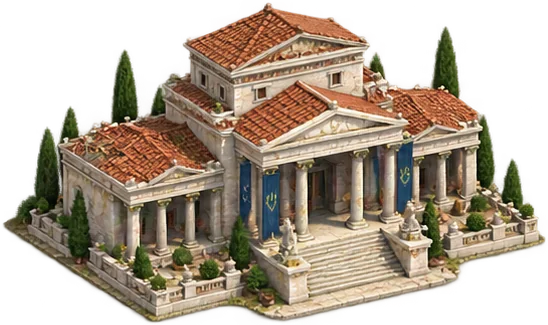
Housing
The Town Hall's level sets how many citizens your city can house. When the housing is full the population stops growing, however happy they are. If your city has stalled, the Town Hall is the first place to look: it makes room for new citizens, and nearly every building asks for it. That is also why its price is heavy: past the middle levels it asks for more Gold than any building except the Palace and the Governor's Residence.
It compounds: the first level houses a few dozen, the high levels thousands. What each level houses is in the building chart.
The Town Hall can never be demolished, only lowered as far as its first level. Lower it and the housing drops too: citizens above the new ceiling do not leave the city, but it stops growing until it fits under the ceiling again.
The gate on nearly everything
| Town Hall | Unlocks |
|---|---|
| 1 | Warehouse, Tavern, Governor's Residence |
| 2 | Barracks, Port, Palace |
| 3 | Academy, City Wall |
| 4 | Trading Post, Temple |
| 5 | Embassy |
| 6 | War Harbour, Hideout |
| 8 | Arsenal, Siege Workshop |
| 10 | Monument |
The battlefield, in a siege
If your city is besieged, the width of the ground in front of it comes from your Town Hall level.
A small city means narrow ground — which sometimes favours the defender, because a large attacker can only use part of its strength at once.
The same level decides how your city looks on the island: as it grows, the island map draws it from a village up to a walled city. It is the one thing anyone sailing past can see — your garrison, your stores and the state of your wall stay invisible; finding those out is what intelligence is for.
What a citizen does
| State | What they do |
|---|---|
| Idle | Pays tax and nothing else. |
| Worker | Works an island deposit, produces resources, draws a wage. |
| Scholar | Works in the Academy, produces Knowledge, draws a higher wage. |
| Priest | Serves in the Temple, and is what makes the patron's effect work. |
| Soldier | In the army. A citizen who is not working a deposit. |
The Town Hall window
The window's head names your city and its island; rename beside the name changes the city's name right there.
The band at the top sums the city up: how many citizens live in it against the housing, growth per hour, satisfaction, and the city's net Gold. When the city is not growing, the reason stands beside the growth: the housing is full, satisfaction is too low, or everyone is at work.
People shows where your citizens are in a single bar: the workers at each deposit, scholars, priests and the free, each in its own colour with its count. The large figure on the right is your free citizens.
Assignments has a slider for every deposit on the island and for the Academy. Slide, type the number or press Most. The shaded part of the slider reaches as far as your free citizens go, and the saved figure is marked with a thin line. As you choose, the hourly output at the right of the row and the net Gold at the top change at once: a citizen put to work starts drawing a wage and stops paying tax, and a scholar costs more than a worker. When the city's places at a deposit are full, the row says so; more open each time the deposit rises a level.
Priests are not changed here; their row takes you to the Temple. Soldiers, crews and spies are no part of the population, so they are not in this bar.
Below People, the Garrison line gives how many land units would defend the city if an attack came, and the limit the wall can cover: the city's own land units at home and every force standing in the city are counted. When the count is over the limit, the line says so in words as well (Garrison limit).
Your choice is not saved until you press Assign work at the bottom; Reset goes back to the saved figures. If the connection drops, your choice stays in the window and Try again sends it once more. If the game refuses it, the reason appears beside the button and the window goes back to the saved figures.
Satisfaction shows the total and its state, where it sits on the scale from unrest to euphoria, and every term it is made of. The link under it opens the Tavern.
At the foot sits the building itself: the next level, its price, Upgrade, and for Pro members Add to queue. What does it bring? shows how far the housing will rise; the city keeps working while the Town Hall is upgraded. Lower or demolish tells you in advance what the housing goes from and to, and how many citizens will stand above the ceiling.
Happiness
Happiness decides whether your population is growing or shrinking. It comes from a small civic baseline, the Tavern's grapes, a finished Monument, the objects treaties in force have brought to your Mouseion, your form of government, and — briefly — the religious unrest of changing patron. The part of the comfort the people expect that is not met (Needs) comes off it too.
Population is settled every five minutes and growth is proportional to happiness, up to a ceiling. Negative happiness shrinks the city — and shrinking is faster than growing. Cutting the grapes saves resources in the short run and shrinks your city in the medium run. A shortfall in Needs alone does not shrink the city, it stops its growth; if satisfaction falls below zero, idle citizens begin to emigrate and the tax falls. If the Tavern stands empty for long, the hungry people stop working.
The comfort expected, the tax collected, revolt, Indifference and emigration are not written in this window but on the Economy screen, on the card titled The people's state.
Happiness states
| State | Meaning |
|---|---|
| Unrest | The city is emptying fast. |
| Unhappy | Shrinking. |
| Restless | On the edge of shrinking. |
| Settled | Holding. |
| Content | Growing slowly. |
| Happy | Growing. |
| Euphoric | Growing fastest. |
The Tavern
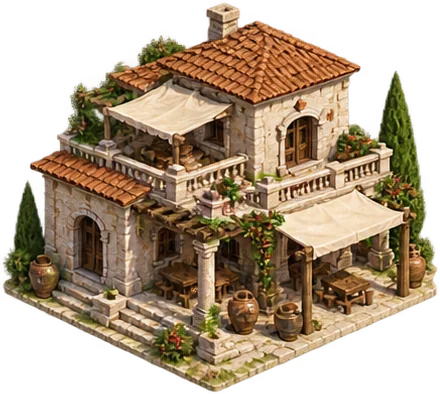 Tavern
The Tavern does one thing: it serves grapes, and grapes buy happiness. Like the other public buildings it has a long ladder: every level raises the grapes it can serve an hour, and served in full, each level brings more happiness than the one before.
You choose how much is served an hour with a slider: from nothing at all up to the most the Tavern's level allows, one grape at a time. Serving more brings more happiness, but empties the storeroom just as much faster. A newly built Tavern opens serving all it can; after that it keeps the amount you chose when you raise the Tavern.
Serving by level
| Level | Most grapes an hour | Happiness when served in full |
|---|---|---|
| 1 | 8 | +12 |
| 2 | 20 | +18 |
| 3 | 60 | +30 |
| 4 | 76 | +35 |
| 5 | 94 | +39 |
| 6 | 114 | +43 |
| 7 | 136 | +47 |
| 8 | 160 | +51 |
| 9 | 186 | +56 |
| 10 | 214 | +60 |
| 11 | 244 | +64 |
| 12 | 276 | +68 |
| 13 | 310 | +72 |
| 14 | 346 | +76 |
| 15 | 384 | +80 |
| 16 | 424 | +83 |
| 17 | 466 | +87 |
| 18 | 510 | +90 |
| 19 | 556 | +93 |
| 20 | 604 | +96 |
| 21 | 640 | +98 |
| 22 | 678 | +101 |
| 23 | 718 | +104 |
| 24 | 760 | +106 |
| 25 | 804 | +109 |
| 26 | 852 | +113 |
| 27 | 902 | +116 |
| 28 | 956 | +120 |
| 29 | 1,012 | +123 |
| 30 | 1,072 | +127 |
The most grapes the Tavern can serve an hour at each level, and the happiness that brings when all of it is served. Serve less and the happiness is less too; what every amount in between brings, you see in the Tavern's window as you move the slider. The table stops somewhere, the Tavern does not: it has no last level, and higher levels keep serving more grapes and bringing more happiness in the same step.
The Tavern's window
Pressing the Tavern on the map opens no window: you step inside, into a room with a fire in the hearth and guests at the tables. The room is as full as the grapes you serve; serve plenty and a lyre player comes too. Serve fish and it cooks on the grill by the hearth, and platters of fish appear on the tables. As the Tavern rises, more tables are set out. In the bar under the room you set the grape and fish service with − and +: the figure changes at once and is saved a moment after your last press, with the happiness the service brings beside it. On a phone or a narrow screen the services sit as two small buttons, and a tap on one opens the settings. The breakdown of happiness, the next level and its cost are in the Tavern's window; Show the details in the bar opens it over the room, with no trip back to the city. In the browser, the music button in the bar plays the instruments of the time, the lyre and the aulos.
What does the Tavern do? in the head explains briefly what the building is for. Below it stands Grape service, with how many grapes an hour are being served now beside it. When the storeroom is empty, that line turns red and says what is served until grapes arrive.
You choose the service with the slider: drag it, step it one grape at a time with the arrow keys, type the number into the box beside it, or press Most to take everything the Tavern can serve. Under the slider stand the happiness your amount brings and the most a Tavern of this level can serve. Moving the slider changes nothing: the strip that opens below says how much the happiness will change, and the rest of the window follows that amount. Set service saves your choice, Undo goes back to the saved service. With the storeroom empty, the Tavern serves what your vineyards bring until grapes arrive; the strip says that too, in advance.
The Storeroom line shows the grapes in it against what the store can hold; under it, what the island's vineyards bring, what the service uses and what is left stand side by side. When the storeroom is draining, it says when it runs out. The Satisfaction section shows the total happiness, its state and its terms,.
At the bottom stands the building itself: the next level, its price and, beside it, the most grapes an hour that level will serve. The service goes on while the Tavern rises. A lowered Tavern serves only as much as its remaining level allows; the amount you chose is not lost, and returns when the Tavern rises again.
Fish service
If your city has a Fishermen's Shelter, the Tavern's window also holds Fish service below the grapes. It is the same slider as for grapes: you choose how many fish an hour to serve, and under the slider stand the happiness that amount brings and the most the shelter can serve at its level today. In place of the storeroom stands the shelter's fish bucket; when it is draining, it says when it runs out. In the Satisfaction section the fish served show on a line of their own. Where the fish come from: Fishing.
The figures come from the game's own content. Balance updates can move some numbers; the rules themselves are as written here.